Templates
Templates are pre-built rules you can apply with one click. They cover the most common sync scenarios so you can get started without writing any code.
To use a template, open a pipe from the Pipes page and select the Templates tab in the rule editor. Click on any template to apply it immediately.
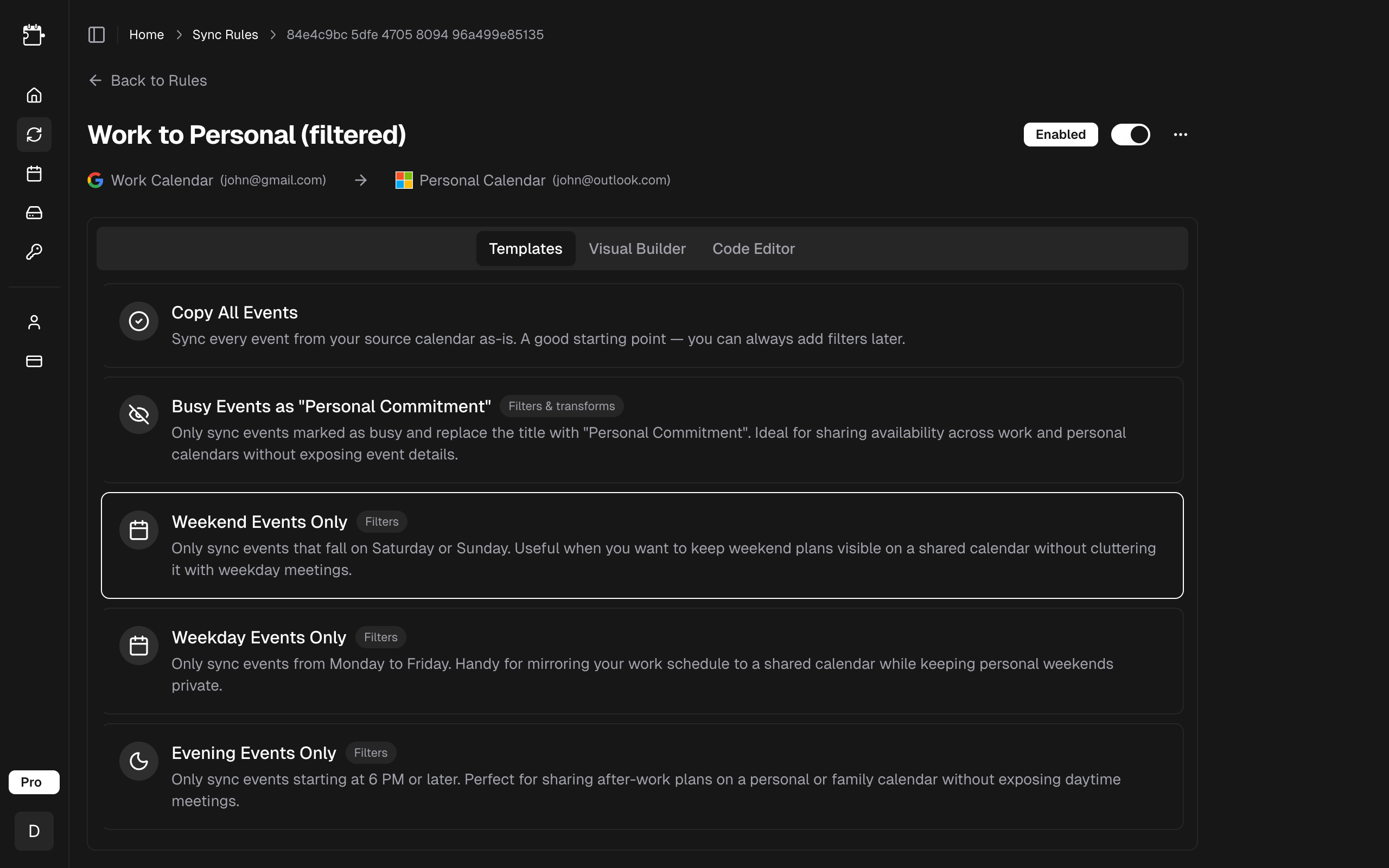
Copy All Events
Syncs every event from the source calendar to the target calendar without any filtering or modification. This is the default rule for new pipes.
Use case: Simple calendar mirroring where you want an exact copy of all events.
Visual Builder equivalent: Yes -- an empty condition list with a Pass action.
function rule(event: GateEvent): GateResult {
  return { pass: true };
}
Copy All Events is a good starting point — switch to another template or customize the rule later.
Busy Events as "Personal Commitment"
Only syncs busy events and replaces the title with "Personal Commitment", clearing description and location. Events marked free or tentative are blocked.
Use case: Sharing availability across work and personal calendars without exposing meeting details. Recipients see that you're busy, but not why.
Visual Builder equivalent: Yes -- a "Show as equals busy" condition with a Pass action and a redaction transform.
function rule(event: GateEvent): GateResult {
  if (event.showAs === 'busy') {
    return {
      pass: true,
      transform: {
        title: 'Personal Commitment',
        description: '',
        location: '',
      },
    };
  }
  return { pass: false };
}
Start time, end time, and duration cannot be transformed by a rule. If the timing itself is sensitive, block the event instead.
Weekend Events Only
Only syncs events that fall on Saturday or Sunday. Weekday events are blocked.
Use case: Keeping weekend plans visible on a shared calendar without cluttering it with weekday meetings.
Visual Builder equivalent: Yes -- an "Is weekday is false" condition with a Pass action.
function rule(event: GateEvent): GateResult {
  if (!event.isWeekday) {
    return { pass: true };
  }
  return { pass: false };
}
Weekday Events Only
Only syncs events from Monday to Friday. Weekend events are blocked.
Use case: Mirroring your work schedule to a shared calendar while keeping personal weekends private.
Visual Builder equivalent: Yes -- an "Is weekday is true" condition with a Pass action.
function rule(event: GateEvent): GateResult {
  if (event.isWeekday) {
    return { pass: true };
  }
  return { pass: false };
}
Evening Events Only
Only syncs events starting at 6 PM UTC or later. Daytime events are blocked.
Use case: Sharing after-work plans on a personal or family calendar without exposing daytime meetings.
Visual Builder equivalent: Yes -- an "Hour >= 18" condition with a Pass action.
function rule(event: GateEvent): GateResult {
  if (event.hour >= 18) {
    return { pass: true };
  }
  return { pass: false };
}
hour, dayOfWeek, and isWeekday are evaluated in UTC — see the property reference for how to shift the bounds to your timezone.
Template Comparison
| Template | Filters Events? | Transforms Events? | Visual Builder? |
|---|---|---|---|
| Copy All Events | No | No | Yes |
| Busy Events as "Personal Commitment" | Yes | Yes | Yes |
| Weekend Events Only | Yes | No | Yes |
| Weekday Events Only | Yes | No | Yes |
| Evening Events Only | Yes | No | Yes |
Related
- Visual Builder — refine a template without writing code.
- Code Editor — extend a template with custom logic.
- Property Reference — every property a rule can read.